
Capabilities
Varcio capabilities: 51 modules in one platform
51 modules across 14 sections, from AI & Automation and Optimization to Govern and Security — backed by 316 active detectors and 140 live Apex capabilities.
- Modules across 14 sections
- 51
- Active waste detectors
- 316
- Apex AI capabilities
- 140
- Infrastructure surfaces
- 5
Architecture
One dataset behind every capability
Each capability below reads from the same normalized, reconciled spend data — which is why a finding, a forecast, and a PR check never disagree.
Coverage by provider: AWS cost optimization, Azure cost management, GCP cost optimization and OCI cost optimization.
Kubernetes
Cluster spend, split by who actually used it
A cluster bill is one line item from the cloud provider. Varcio breaks it back down to namespaces, deployments, and the teams that own them.
Multi-cloud spend visibility
Connect your cloud accounts in minutes and see consolidated spend across AWS, Azure, GCP, OCI, and Kubernetes — five surfaces treated as first-class citizens.
Daily and monthly spend trends with anomaly highlighting, budget posture tracking, service-level breakdowns, ingestion health, and 30-day variance summaries in one shared workspace.
- Surfaces in one ledger
- 5
- Connection verification
- Live
- Projection window
- 30-day
- AWS
- IAM AssumeRole + External ID, Cost Explorer, CUR via Athena, CloudWatch — 102 detectors
- Azure
- Service Principal, Resource Graph, Azure Monitor — 73 detectors
- GCP
- Encrypted service account key, Billing export, Asset Inventory, Recommender — 59 detectors
- OCI
- OCI API signing key encrypted at rest, spend and inventory scanning — 38 detectors
- Kubernetes
- Kubecost, OpenCost, or bundled in-cluster agent — 14 detectors
Apex AI agent
A live operations assistant, not a chatbot. Ask questions, get answers, and create governed actions in plain English.
Guided capabilities across observability, governance, operations, and knowledge. Read operations execute immediately, write actions require explicit APPROVE confirmation, and high-impact actions route through full approval workflows.
Guided AI operations
- Observability: Executive Briefing, Spend Summary, Top Services, Anomaly Scan
- Governance: Open Findings, Active Policies, Budget Status, Pending Approvals
- Configuration: Account Verification, Integration Status, Coverage Posture
- Operations: Load Demo Spend, Request Remediation, Verify Accounts, Commitment Negotiator
- Knowledge: Web Research with citations from public sources
- Read actions execute immediately; writes require APPROVE and single-use execution tokens
- High-impact actions go through full approval workflows before execution
- 4 Instruction Profiles: Balanced, Concise, Guided, Executive
Pre-merge cost analysis (PR Cost Diff)
Catch cost surprises before they reach production by analyzing Terraform changes from GitHub PRs.
Extracts Terraform resource changes, prices them with live cloud pricing APIs, evaluates active policies, calculates budget impact, and posts a single evolving PR review comment.
- PR opened
- Resources extracted
- Live pricing
- Policies checked
- Budget impact
- Comment posted
- Estimated monthly cost change (delta)
- Risk assessment score and contributing factors
- Policy compliance result (pass / advisory / block)
- Budget impact projection
- Tagging compliance check
- Confidence score for pricing estimates
Waste detection engine
316 active detectors across five surfaces that identify structural savings, each finding costed and scored.
Every opportunity includes estimated monthly savings, confidence score, effort score, risk assessment, recommended action, and a composite priority score so teams know what to fix first.
- AWS coverage102
Unattached EBS volumes, unused Elastic IPs, idle load balancers and NAT gateways, EC2 and RDS underutilisation, old snapshots, database health, and identity and security checks
- Azure coverage73
Unattached disks, unused public IPs, idle SQL databases, deallocated-VM disk bleed, zero-workload App Service plans, Hybrid Benefit gaps, and Entra ID checks
- GCP coverage59
Unattached disks, unused static IPs, idle Compute Engine, Cloud SQL and Cloud Run, stale snapshots, and Policy Intelligence IAM checks
- OCI coverage38
Idle instances and databases, unattached block and boot volumes, orphaned backups, legacy shapes, and Cloud Guard finding backlog
- Kubernetes21
CPU and memory mismatch, pods with near-zero actual usage still reserving requests, DaemonSet overhead, orphaned Persistent Volumes, idle GPU nodes, and Graviton and spot candidates
- Cross-cloud23
Patterns that only appear when providers are compared on the normalised ledger, including AI cost patterns, duplicated environments and unassigned spend
Finding anatomy
- Estimated savings
- $214/month
- Confidence
- 0.94
- Effort level
- Low / Medium / High
- Risk
- What could go wrong if you act
- Priority score
- Savings × confidence ÷ effort
Automated remediation
Don't just detect waste — fix it. Execute approved actions across AWS, Azure, GCP, OCI, and Kubernetes.
Remediation runs through approval, and Autopilot acts only inside the rules and monthly action budget you set. Protected-tag safety, dry-run mode, rollout-safety gates, credential isolation, and immutable audit trails make the workflow safe to operate in production.
- AWSStop or rightsize EC2 and RDS, delete unattached EBS, release Elastic IPs, apply S3 Intelligent-Tiering
- AzureDeallocate or rightsize VMs, delete unattached disks
- GCPStop or rightsize instances, stop Cloud SQL
- OCIStop idle instances, delete unattached volumes
- KubernetesApproval-gated request changes via the agent
AI commitment negotiator
Model commitments across AWS, Azure, GCP, and OCI, and purchase on AWS, Azure, and GCP behind approval gates.
Reviews historical on-demand usage, recommends commitment strategies with projected savings and break-even periods, supports dry-run simulation, and executes purchases on approval.
- Typical savings
- 15–30%
- Break-even period
- 3–5 months
- Lifecycle events
- Tracked
- AWS
- Models 1-year RIs and Savings Plans; purchases Compute Savings Plans (no upfront), approval-gated and automatable
- Azure
- Models 1- and 3-year reservations and 1-year savings plans; purchases reservations, approval-gated
- GCP
- Models 1- and 3-year CUDs (spend- and resource-based); purchases resource-based CUDs, approval-gated
- OCI
- Universal Credits modelling only
- 1Analyze usage
- 2Recommend strategy
- 3Simulate purchase
- 4Approve
- 5Execute
- 6Track
Predictive cost forecasting
Three forecast models compete on your history — the one with the lowest out-of-sample error is selected.
Daily predicted spend for horizons of 14 to 120 days with prediction intervals, MAPE and RMSE transparency, and a seasonal benchmark every model has to beat.
- 80% prediction intervals
- Daily forecasts for horizons of 14 to 120 days
- MAPE and RMSE accuracy reporting
- Budget breach probability calculation
- Model selection by rolling backtest, with the benchmark as a guaranteed fallback
- Seasonal modelBest for: Seasonality, holidays, trend changesMethod: Additive regression
- Time-series modelBest for: Steady-state, consistent patternsMethod: Classical time series
- Benchmark modelBest for: The baseline the others must beatMethod: Seasonal naive with drift
Policy engine and governance
Define and enforce cost policies across your organization — from advisory warnings to hard blocks.
Tag requirements, risk thresholds, resource restrictions, and budget guardrails are enforced consistently across pull requests, findings triage, approvals, and audits.
Example rules
- BlockingBlock PRs adding GPU instances to staging
- TagRequire cost-center tag on all EC2 instances
- AdvisoryWarn if monthly forecast exceeds $15K
- BlockingBlock new resources without team owner tag
- Advisory
- Creates findings but does not block the workflow
- Blocking
- Prevents non-compliant infrastructure from progressing
- Tag requirements
- Enforce mandatory tags such as team, service, env, and owner
- Budget guardrails
- Soft limits warn; hard limits block when thresholds are crossed
ChatOps integration
Bring cost operations directly into Slack and Microsoft Teams.
List pending approvals, approve or reject with inline buttons, and verify actor authorization — all from your team's communication channels.
- Actor authorization verification
- HMAC signature verification on inbound webhooks
- Timestamp replay protection
- Inline approve/reject buttons for fast review
- Weekly digests and anomaly notifications
/finops pending- List pending approvals
/finops approve <id>- Approve a request
/finops reject <id>- Reject with optional note
/finops help- Show available commands
Cloud Control Tower 360
See the operational health of every connected account and provider in one posture view.
Control Tower 360 scores account trust posture, ingestion SLO posture, reconciliation posture, and detector coverage so teams know when their data and workflows are actually ready for decision-making.
- Maturity score
- 0–100
- Healthy / Warning / Critical
- 3 states
- Next actions
- Prioritized
- Trust posture
- Which accounts are verified, stale, or failing verification
- Ingestion SLO
- How fresh and reliable provider data is right now
- Reconciliation
- Whether connected accounts match coverage and inventory expectations
- Detector coverage
- How deep active scanning is per provider and environment
Kubernetes cost attribution
Turn opaque cluster bills into namespace, deployment, and team-level accountability.
The native Kubernetes agent ingests in-cluster metrics, maps costs to owners, and generates rightsizing and idle workload recommendations for teams running containerized platforms.
- Agent
- Lightweight Helm-deployed collector running inside the cluster
- Attribution
- Namespace, deployment, and label-based cost allocation snapshots
- Optimization
- CPU and memory drift, over-reserved pods, and orphaned PV detection
- Ownership
- Team mapping from Kubernetes labels for chargeback clarity
- Namespace and deployment-level cost attribution
- Team-mapped allocation using Kubernetes labels
- Rightsizing recommendations from request-vs-actual-usage drift
- Pods with near-zero actual usage that still reserve requests
- Orphaned Persistent Volume detection for unused storage costs
FinOps maturity score
"Are we actually good at this, or just busy?" A single 0–100 number leadership understands instantly, with a concrete action plan attached.
Scored across eight real, data-driven dimensions and mapped to the industry-known Crawl, Walk, Run framework, with a prioritized roadmap of what to fix next — not a vague maturity survey.
- Composite maturity score
- 0–100
- Scored dimensions
- 8
- Industry framework
- Crawl → Walk → Run
- Tagging compliance and coverage
- Commitment coverage (Reserved Instances, Savings Plans)
- Waste elimination rate
- Budget guardrail coverage
- Forecasting readiness and accuracy
- Cost allocation completeness
- Alerting and anomaly response
- Spend trend health
Apex cost incidents
Think PagerDuty, but for cost spikes — with root cause, ownership, and an SLA.
When a cost spike happens, Apex runs a real investigation and opens an incident with a primary hypothesis, an evidence timeline, and a confidence rating, then assigns it to an owner with a tracked SLA — a full incident-response workflow, but for cost instead of uptime.
- Primary hypothesis generated from real spend data
- Evidence timeline showing exactly what changed
- Confidence rating on the root-cause finding
- Owner assignment with a tracked SLA
- Routes to PagerDuty or Opsgenie like any other incident
Cloud inventory and security posture
You are not just buying a cost tool — you get a live security posture scan on top, at no extra integration effort.
A live, cross-cloud resource scan across AWS, Azure, GCP, and OCI that flags encryption status and open, sensitive network ports, layered on top of the same connection you already set up for cost visibility.
- Live cross-cloud resource inventory
- Encryption-at-rest status per resource
- Open and sensitive network port detection
- No extra integration effort beyond your existing cost connection
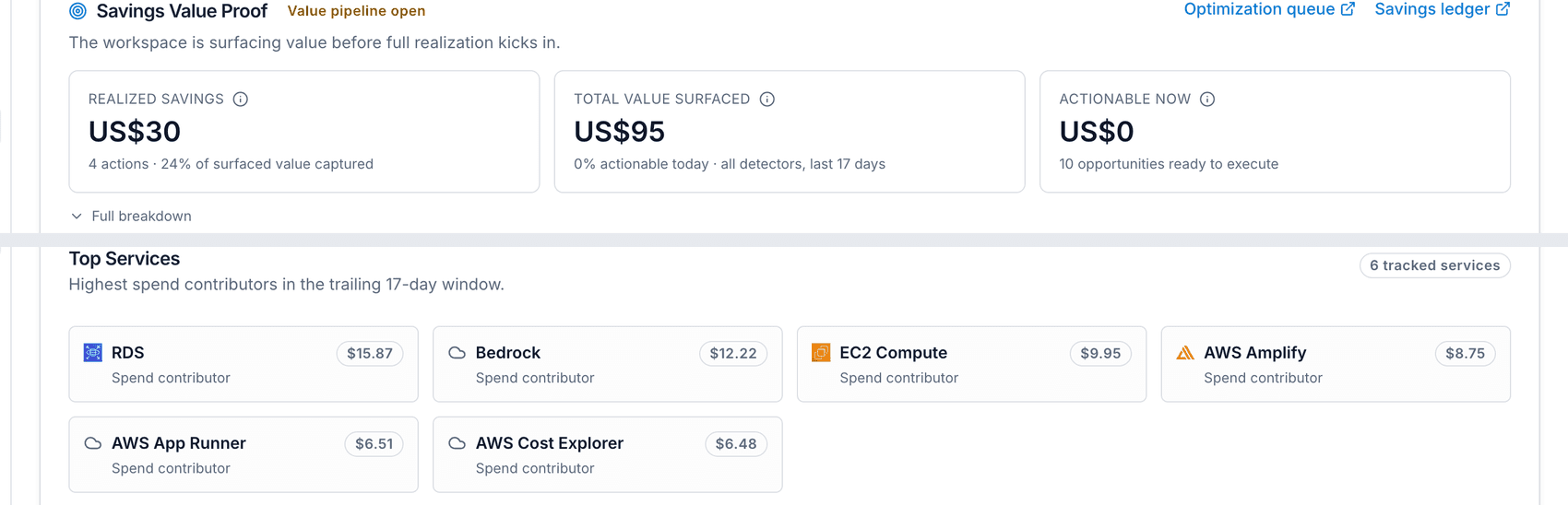
Savings tracker
"What did FinOps actually save us?" — answered with a provable, audited number, not a spreadsheet built the night before a board meeting.
Tracks realized savings against every opportunity identified, shows your realization rate and an ROI multiple comparing what you have saved to what the platform costs, and exports straight to CSV or PDF for a board deck.
- Realized vs. identified savings
- Tracked
- Savings vs. platform cost
- ROI multiple
- Board-ready export
- CSV / PDF
Service Monitoring
Whether everything you run is up, where, and how it is doing, with a status page your customers can read.
Services, domains and regions across every connected cloud, checked with a confirmed-failure engine. Incidents are opened once and closed on recovery, reliability objectives track error budget, and a public status page shows only what you choose. Outage cost is a labelled estimate, never a measured loss.
- Acknowledge, assign, timeline, postmortem
- Incidents
- Availability and latency with error budget
- Objectives
- Public, and leaks no internals
- Status page
Real User Monitoring
What real visitors get, without cookies or recordings.
Read traffic, pages, devices and sources from your connected cloud's own logs with nothing to install, or add one snippet for Core Web Vitals, errors, funnels and goals. Figures carry the uncertainty they support, and privacy is enforced on the server.
- Live to third-party cost
- 16 screens
- And no session replay
- No cookies
- Funnels with stated intervals
- Exact goals
Deploy, assess and migrate
From repository to cloud, with the cost on the table first, and a migration control plane that leaves evidence.
Analyse a GitHub repository, compare AWS, Azure, Google Cloud, Oracle and hybrid paths, generate Terraform or OpenTofu blueprints, then score your estate with Cloud Assessment and move workloads with source and target readiness, waves and cutover evidence. Import your CloudHealth setup and run beside it.
- Terraform or OpenTofu
- Blueprints
- Board-ready, saved for comparison
- Assessment
- Readiness, waves, cutover evidence
- Migration
AI Economics
Every AI token and dollar, traced to the team that answers for it.
AI spend from any cloud or tool, attributed to teams, people, services and business units, with a split of why it moved, efficiency measures, seat-priced tools and controls. Unit economics report cost per request and per million tokens, with a margin only where revenue exists.
- No-owner spend is always a row
- Accountable
- Requests, length, models, rate
- Why it moved
- And per request, per customer
- Per 1M tokens
Autopilot and auto-stopping
Automation with a seatbelt — it will not touch production without your say-so, by design, not by promise.
A rule engine with three modes — observe, suggest, and autopilot. In autopilot mode it can delete unattached volumes and orphaned snapshots above a confidence threshold, while production-like, publicly exposed, critical-risk, or deletion-protected resources always go to approval. Everything stays within a monthly action budget, and scheduling can park and wake non-production resources on a calendar.
- Production-like, public, critical, and deletion-protected resources go to approval
- Autopilot mode deletes unattached volumes and orphaned snapshots above a confidence threshold
- A monthly action budget caps what automation can do
- Per-rule dry-run and a maximum number of actions per run
- Calendar-based scheduling parks and wakes non-prod resources automatically
- 1Observe
- 2Suggest
- 3Autopilot
Tag governance and ownership
"Who owns this?" gets answered for every resource — with the exact rule to write, based on your real data.
An advisor scans your live inventory and recommends tagging policies based on what it actually finds, scores compliance by team, and lets you define inference rules that bulk-assign ownership in one sweep.
- Tagging policy recommendations based on real inventory scans
- Compliance scoring by team
- Inference rules: tag match, naming pattern, account default
- Bulk ownership assignment in one sweep
Workspaces and organization analytics
Full data segregation where you need it, full visibility where you want it — both, not a trade-off.
Segment data into isolated workspaces, each with its own connected cloud accounts, then roll everything up into one cross-workspace analytics view — spend trends, risk posture, and per-workspace optimization scorecards.
- Isolated workspaces per business unit, environment, or client
- Each workspace has its own connected cloud accounts
- Cross-workspace roll-up for leadership
- Per-workspace optimization scorecards
Reports studio and shared dashboards
Send your CFO a live link right now — no login needed, and you control exactly what they see.
Persona-driven reports for CFO, CTO, Engineering, or FinOps audiences, exportable on demand — plus a shareable dashboard link: a public, tokenized, redactable snapshot you control down to which numbers and team names are visible, fully revocable and audit-logged.
- Persona-driven reports: CFO, CTO, Engineering, FinOps
- Tokenized, redactable shareable dashboard links
- No login required for the recipient
- Fully revocable and audit-logged
Module reference
All 51 modules, section by section
The complete module list, organised exactly as the product's 14 sections — from AI & Automation to Help & Updates.
- AI & Automation3 modules
- Insights4 modules
- Optimization4 modules
- Workloads5 modules
- Cost & Spend8 modules
- Govern6 modules
- Marketplace1 module
- Planning4 modules
- Engineering4 modules
- Security3 modules
- Admin2 modules
- Connections2 modules
- Account2 modules
- Help & Updates3 modules
AI & Automation
Answers, a standing agent team, and autonomous optimization inside guardrails.
- ApexNatural-language control plane over 140 live capabilities across 13 screens, for analysis, planning and guarded execution
- WorkforceA standing team of AI agent seats on a rota: 24 roles across seven functions, escalating to one Service Delivery Lead
- AutopilotAutonomous cost optimization that acts within your guardrails, in observe, suggest and autopilot modes
Insights
What is happening now, and the story leadership needs.
- OverviewWorkspace spend posture, ingestion health, trends, and anomalies
- CEO ViewA 30-second executive snapshot: biggest waste, ROI narrative, and next action
- IntelligenceTelemetry-driven unit economics, waste opportunities, and finance reports
- ReportsExecutive, FinOps, operations, and unit-economics reports with scheduled delivery
Optimization
Turning waste into guardrailed, trackable work.
- OptimizationAction-first savings pipeline: ranked opportunities, approvals, execution, and realised ROI
- FindingsSecurity, policy, budget and infrastructure-change findings across your clouds: owned, triaged and closed with an audit trail
- LifecycleTTLs and owner attestation for short-lived resources; expired, unclaimed resources are queued for an approval-gated stop
- Resource ParkingAutoStopping, off-hours parking, hibernation, and scale-to-zero automation
Workloads
Cost and health for the workloads that dominate the bill.
- AI InfrastructureReal findings and one-click actions for SageMaker, Bedrock, Vertex AI, and Azure OpenAI / AI Foundry
- AI EconomicsEvery AI token and dollar, on any cloud or tool, traced to the team, person, service and business unit answerable for it, with why it moved
- Database HealthRDS and Aurora monitoring of connections, storage, latency and replication lag, with rule-driven recommendations, alerts and auto-actions
- API MonitoringThe invoice's view of your API layer: spend across API Gateway, APIM, Apigee and OCI, error spend, and pricing-model waste
- KubernetesNamespace, deployment, and team-level cost allocation with rightsizing, idle-pod and autoscaling recommendations
Cost & Spend
Where money goes, who caused it, and what it buys.
- Software SpendWhat you pay for software by the seat, SaaS licences and AI tools together: idle seats, unused seats, true-up risk and what renews next
- Cloud BillingAWS partner billing invoices, pass-through discounts, payments, and dispute history
- Cost CenterCurrent spend, bill review, cost history, savings ledger and goals, commitments, rightsizing, and enterprise reporting in one workspace
- BudgetsBudgets over real cloud bills by any provider, service, account, region, team or tag, with forecasts, alerts and a response plan
- Cost ExplorerGroup spend by any two dimensions or business mapping; save, share, schedule and export reports, or query with governed SQL
- Unit EconomicsWhat one unit of your product costs to run, from live spend and the counts your workspace receives, including AI features and customers
- CarbonProvider-reported cloud emissions by month, provider, service and region, with a GHG-ready export and the inventory estimate beside them
- Cost AllocationChargeback rules for shared costs, business mappings, and the monthly showback statement per team
Govern
Controls: rules, gates, attribution, and evidence.
- Vendor RiskThird-party risk: which vendors are high risk, what is due for review, which contracts run out, and what is open against each
- PoliciesGuardrails on infrastructure pull requests and running cloud: build or write them in CEL, test them, roll them out, and see what they catch
- ApprovalsCentral cost-action approval queue with savings at stake, blast radius, rollback, and policy reasons, decidable from the dashboard, Slack, Teams or Apex
- OwnershipMap cloud resources to teams and services and run inference sweeps to auto-assign untagged resources
- Audit LogsA tamper-evident activity trail for governance and compliance
- Tag GovernanceDefine and enforce tag policies, with value sources, drift detection and approval-gated remediation
Marketplace
A reviewed public listing for what you sell.
- MarketplaceYour marketplace listings, reviews, orders and how buyers find them, with every change reviewed before it goes live
Planning
Forecasts, scenarios, and how you compare.
- Predictive AnalyticsCompeting forecast models chosen by backtest, honest error metrics, risk scenarios and change-impact simulation
- Cloud PlaygroundDesign an architecture, price it on AWS, Azure, Google Cloud and Oracle like for like, forecast it, and export an evaluation report
- BenchmarksOpt-in, anonymised comparison of coverage, waste, savings realisation and unit costs against companies of your size on your primary cloud
- FinOps MaturityAn objective score across eight weighted dimensions, measured from workspace state, with an improvement roadmap
Engineering
Cost and reliability in the path of delivery.
- Deploy & MigrationAnalyse GitHub repositories, compare cloud deployment paths, generate blueprints, assess your estate and move workloads with readiness and cutover evidence
- Service MonitoringWhether everything you run is up, where, and how it is doing: services, domains and regions, with incidents, objectives and a public status page
- Real User MonitoringWhat real visitors get on your sites: traffic, pages, devices and sources from your cloud logs, plus Core Web Vitals and errors from an optional snippet. No cookies, no recordings
- Engineering FinOpsWhat pull requests added, which releases moved spend, and which team owns it, with pull request costs and releases and pipelines beneath it
Security
Estate posture: inventory, threat, and compliance.
- InventoryLive multi-cloud asset inventory with scan lineage, stale-resource detection, and runtime coverage
- FinSecOpsMulti-cloud security posture, detections and response in one place: what is exposed, what is overdue, and what to do next
- ComplianceFindings mapped to SOC 2, CIS, NIST and ISO controls, SLA posture, configuration controls, and evidence exports
Admin
Tenancy: users, workspaces, and identity.
- OrganizationYour team: members, roles and access, workspaces, service accounts, partner access and organisation analytics
- Identity & SSOHow your organisation signs in: single sign-on, sign-in policy, SCIM provisioning and network access
Connections
Clouds, tools, and AI providers the platform reads from.
- Cloud AccountsSecurely connect AWS, Azure, Google Cloud and Oracle Cloud accounts for FinOps data and workflows
- IntegrationsJira, Linear and ServiceNow, Slack and Teams, observability and paging, Kubernetes and AI providers, bring-your-own cost data, and Auto-Remediation controls
Account
Your plan and your own profile.
- MembershipPlans, billing cadence, limits and entitlements, the prepaid wallet, and the Apex AI credit ledger
- SettingsYour profile and account security: password, API tokens hashed and shown once, and sidebar customisation
Help & Updates
Support with your workspace context already attached.
- SupportEnterprise ticket portal for customer requests, SLA tracking, and secure support conversations
- ErrorsCustomer-visible application error history with diagnostics, owner status, and one-click escalation to support
- DocumentationProduct documentation, guides, and API reference on docs.varcio.com
Developer workflows
Where these capabilities show up
Move from product capability to day-to-day workflow with GitHub, CLI, ChatOps, IDE, and event delivery integrations.
GitHub App
Org-wide PR governance
Install once and get cost comments, policy checks, and comment upserts across repositories.
GitHub Actions
Custom CI control
Run cost analysis in workflow YAML when teams need pipeline-level customization.
Open-source CLI
Local and CI estimates (MIT)
Estimate Terraform plan costs locally, in CI/CD, or before opening a pull request.
VS Code extension
Inline Terraform hints
Surface estimated monthly resource cost while engineers are still editing infrastructure.
Slack and Teams
Approval workflows
Approve, reject, and route remediation or commitment decisions from collaboration tools.
Event bus
Webhooks, EventBridge, Pub/Sub
Push findings, approvals, and execution events into alerting, ticketing, and data platforms.
Related reading
FinOps for AI: How to Control LLM Token Spend Before It Controls Your Budget
98% of FinOps teams now manage AI spend, up from 31% two years ago. Here is a practical playbook for tracking token costs, cutting LLM inference bills, and tying AI spend to business value.
Read the articleFOCUS Explained: The FinOps Open Cost and Usage Specification for Multi-Cloud Teams
FOCUS gives AWS, Azure, Google Cloud and SaaS billing data one shared schema. Learn what it standardizes, how its cost columns differ, and how to adopt it without a rewrite.
Read the articleCloud Cost Anomaly Detection: How to Catch a $50K Mistake Before It Happens
A single misconfigured auto-scaling group or forgotten GPU cluster can burn tens of thousands of dollars in days. Here is how real-time anomaly detection catches it in hours instead.
Read the articleFinOps glossary
Plain-English definitions of cloud cost and FinOps terms, from showback to commitment coverage.
Read the glossarySee every feature in action
Free 14-day Business trial. No credit card required.